Table of Contents
For over a decade, Extension Methods have been a staple of C# development. They powered LINQ and allowed us to “add” methods to types we didn’t own. But they always came with limitations: they were restricted to methods only, required repetitive this syntax, and often cluttered IntelliSense with stateless static classes.
With the release of C# 14, that era is over.
C# 14 introduces Extension Members (often called explicit extensions). This feature elevates extensions from a “compiler trick” to a first-class structural element of the language. You can now define properties, operators, and static members on external types, all organized within clean, logical blocks.
In this guide, we’ll explore why this is the new standard for C# development and how to implement it in your production applications today.
The Shift: From “Methods” to “Members”
Why this change matters for your architecture
If you have ever written a class named DateHelpers or StringUtil, you have encountered the friction that C# 14 solves.
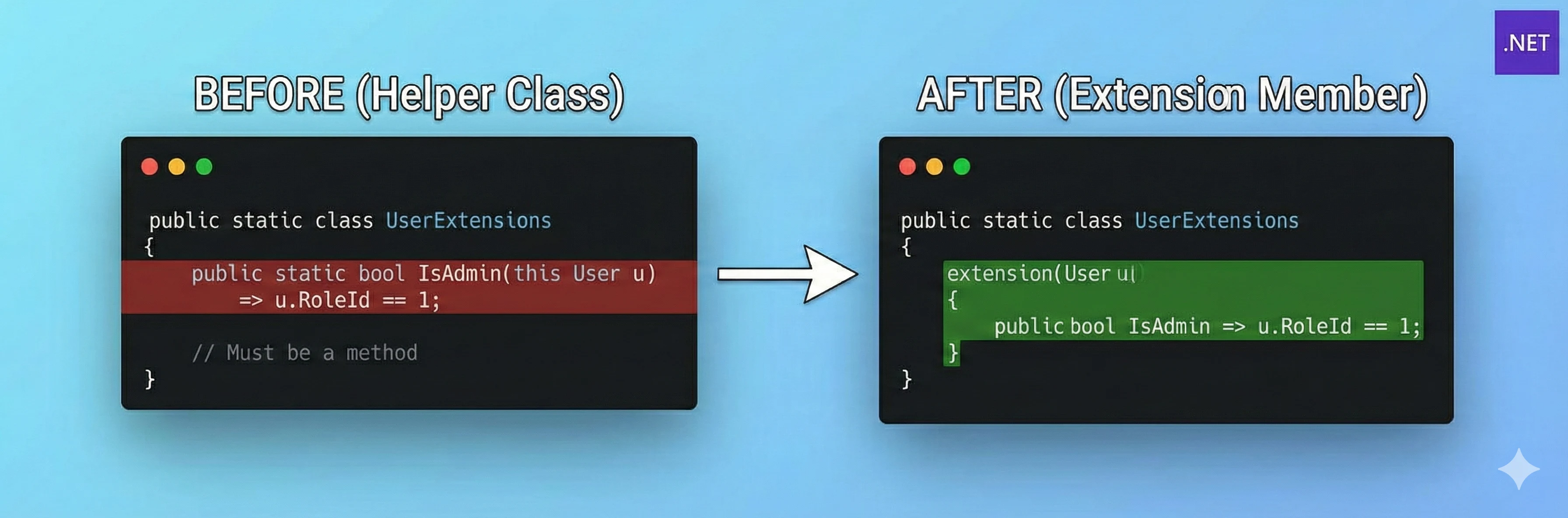
The Old Way (C# 13 and older)
To check if a user was an admin, you had to write a static method. This forced your API to read like an action (user.IsAdmin()) rather than a state (user.IsAdmin).
// The "Classic" approach
public static class UserExtensions
{
    public static bool IsAdmin(this User u) => u.RoleId == 1; // Must be a method
}
The C# 14 Way
Now, you can define an extension block. This allows you to use Properties, which semantically fit better for “state” checks.
// The Modern approach
public static class UserExtensions
{
    // Explicit extension block for the 'User' type
    extension(User u)
    {
        // Now a Property! cleaner syntax, clear intent.
        public bool IsAdmin => u.RoleId == 1;
    }
}
Real-World Use Cases
Here are three concrete scenarios where C# 14 Extension Members should replace your legacy code immediately.
1. Enriching “Anemic” DTOs
In microservices and layered architectures, we often share DTOs (Data Transfer Objects) via NuGet packages. These classes are usually “anemic”—containing only data and no logic.
The Problem: You need to display a formatted string or calculate a total, but you cannot modify the locked DTO class file. The Solution: Use extension properties to create a “rich” view of the model locally.
// Imported from a shared NuGet package (Cannot modify)
public class OrderDTO
{
    public decimal SubTotal { get; set; }
    public decimal Tax { get; set; }
    public string Status { get; set; } // "Pending", "Shipped"
}

// Your Application Logic
public static class OrderLogic
{
    extension(OrderDTO order)
    {
        // 1. PROPERTY: A computed value that feels native to the object
        public decimal GrandTotal => order.SubTotal + order.Tax;

        // 2. PROPERTY: Encapsulating magic strings
        public bool IsProcessed =>
            order.Status.Equals("Shipped", StringComparison.OrdinalIgnoreCase);
    }
}

// Usage
if (order.IsProcessed && order.GrandTotal > 1000)
{
    /* ... */
}
2. Extending Static Types (Factory Pattern)
This is one of the most powerful additions in C# 14. Previously, you could only extend instances of a class. Now, you can extend the type itself.
The Problem: You want a helper method to create a specific type of GUID, but Guid.NewSequential() doesn’t exist in the system namespace.
The Solution: Add a static factory method directly to the Guid type.
public static class IdentityExtensions
{
    // Extending the TYPE 'Guid', not a specific instance
    extension(Guid)
    {
        public static Guid NewSequential()
        {
            // Implementation for generating sequential GUIDs
            var guidBytes = Guid.NewGuid().ToByteArray();
            // ... (bit manipulation logic)
            return new Guid(guidBytes);
        }
    }
}

// Usage - Look how clean this is!
var id = Guid.NewSequential();
3. Complex Domain Logic on Primitives
We often pass around string or int values that have specific domain meanings (e.g., an Account Number or an Email).
The Problem: Validation logic gets scattered across “Util” classes. The Solution: distinct extension blocks for primitives to centralize validation.
public static class StringValidationExtensions
{
    extension(string str)
    {
        // Property for validation
        public bool IsValidEmail =>
            !string.IsNullOrWhiteSpace(str) && str.Contains("@");

        // Method for transformation
        public string ToMaskedEmail()
        {
            if (!IsValidEmail) return str;
            var parts = str.Split('@');
            return $"{parts[0].Substring(0, 2)}***@{parts[1]}";
        }
    }
}
Technical Deep Dive: Rules & Limitations
Expertise & Accuracy
While C# 14 extensions are powerful, they abide by strict rules to ensure type safety and performance.
- Compile-Time Binding: Just like classic extension methods, Extension Members are syntactic sugar. The compiler rewrites your code into static method calls.
- Priority: Instance members always win. If the
OrderDTOclass later adds a realGrandTotalproperty, your extension property will be ignored by the compiler in favor of the native one. - No New State: You cannot add fields (variables) to the extended type. You cannot make an object larger in memory. You can only compute values using existing data.
Migration Guide
| Feature | C# 13 (Classic Extensions) | C# 14 (Extension Members) |
|---|---|---|
| Declaration | public static void M(this T t) | extension(T t) { void M() ... } |
| Properties | Not possible (must use GetX()) | Supported (public int X => ...) |
| Static Methods | Not possible | Supported (Extend the type itself) |
| Operators | Not possible | Supported (Define +, - on external types) |
Summary
C# 14 Extension Members are a massive quality-of-life improvement. They allow us to clean up our codebases by removing “Helper” classes and replacing them with intuitive properties and static methods.
Recommendation: Start using extension blocks for all new utility logic. For existing projects, refactor your most-used “Helper” classes (like DateHelper or StringHelper) into Extension Members to improve discoverability and readability for your team.
References: Microsoft Learn - Extension Members
Frequently Asked Questions
Can I add fields or state to an object with this?
How is this different from classic Extension Methods?
Will this break my existing extension methods?
this) are still fully supported. However, for new code, the extension(Type) block syntax is preferred for its readability and expanded capabilities.